Importance of Mesh Separation in Lumen (Dark Room Issue)
If meshes for walls, ceilings, and floors are combined into a single mesh, an issue occurs where the room appears unnaturally dark in a Lumen environment. This page explains the technical causes and the correct approach to asset creation.
Comparison of Phenomena
Below is a comparison where only the mesh configuration is changed, with the same room shape and lighting settings.
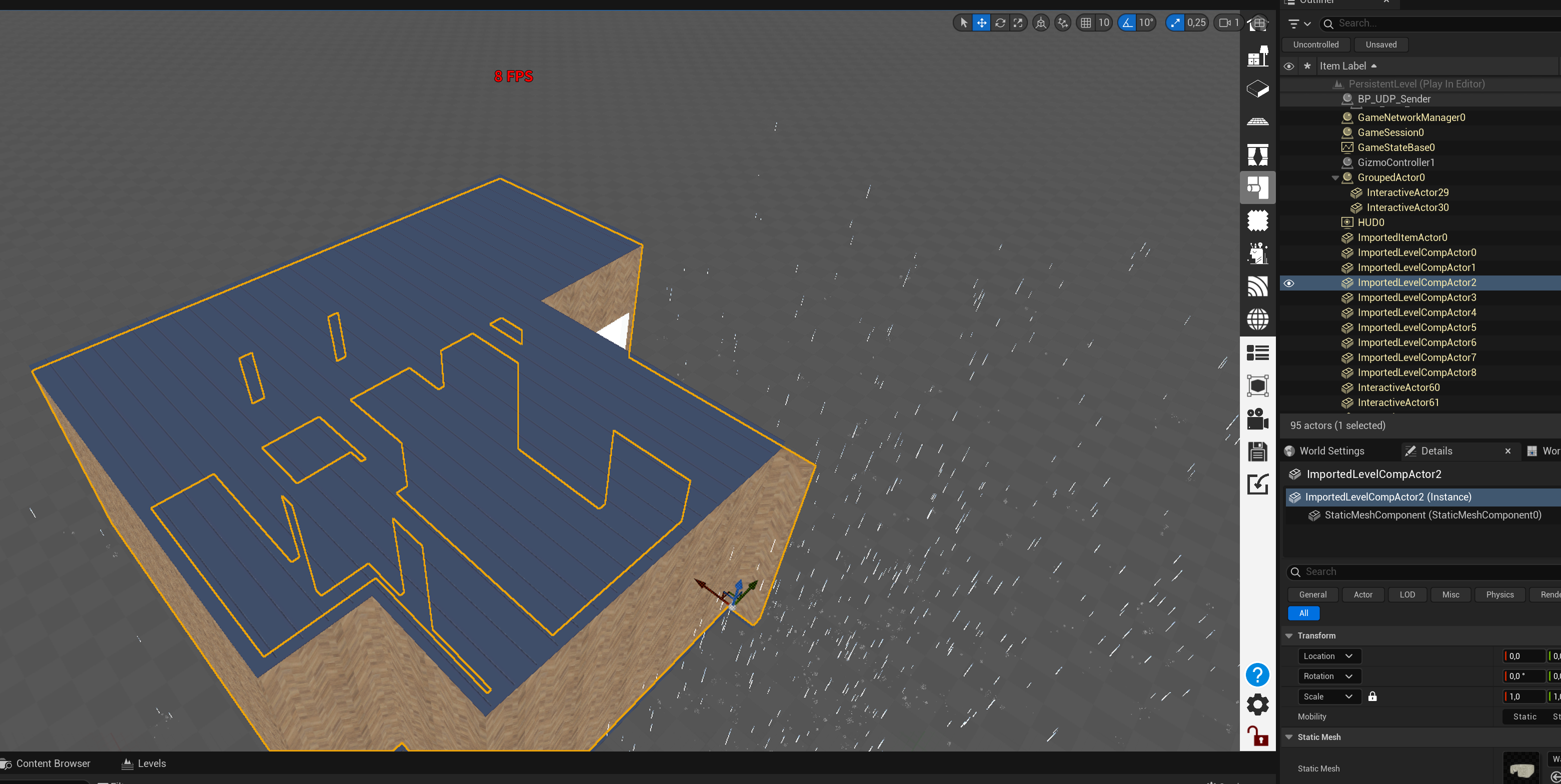
❌ NG: When Meshes are Combined
The walls, ceiling, and floor are combined as one huge mesh. Even with lighting placed, the entire room remains dark, and light is not distributing correctly.
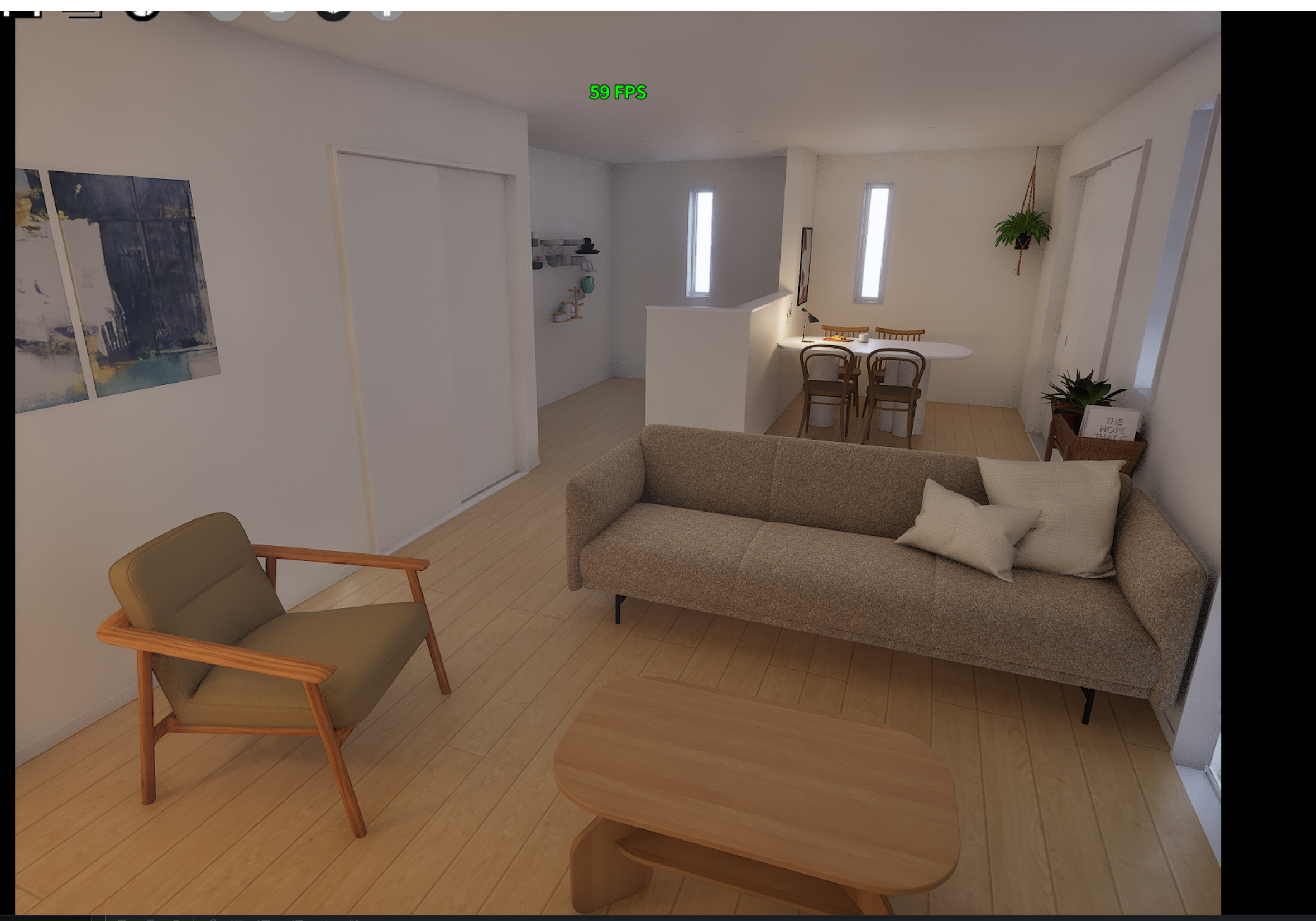
✅ OK: When Meshes are Separated
The walls, ceiling, and floor are separated (Detached) into different meshes for each face or room. The setting remains the default “Surface Cache”, but natural brightness is achieved.

Point
By properly separating meshes, you can achieve high-quality lighting with the default “Surface Cache” mode without using the high-load “Hit Lighting” mode.
Technical Causes
Why does connecting meshes make it dark? There are mainly two technical factors.
1. Insufficient Resolution of Mesh Distance Field (MDF)
Lumen converts the model shape into simple data called “Distance Field (3D volume texture)” to calculate light occlusion.
- Mechanism: One distance field texture is assigned per mesh (one actor).
- Problem: There is an upper limit to the resolution of the distance field (about 128x128x128 voxels by default).
- Result:
- In the case of a huge combined mesh: Since the entire house is forced into a limited resolution, “wall thickness” is treated as less than 1 pixel (voxel). As a result, the wall is recognized as being in a “sparse” state, causing light leaking and insufficient occlusion.
2. Insufficient Density of Lumen Surface Cache (Lumen Cards)
To speed up surface lighting calculations, Lumen pastes simple boards called “Lumen Cards” on the surface of the mesh and calculates (caches) light on them.
- Mechanism: Surface Cache is generated for each mesh.
- Problem: For complex and huge shapes (like a combined whole house), the automatic generation of cards fails to paste well, reducing coverage.
- Result: Light does not bounce correctly on the wall surface, and indirect lighting (Global Illumination) that should originally enter the room is not calculated, causing the entire room to become dark.
Recommended Measures
When creating assets, please separate (Detach) walls, floors, and ceilings into appropriate units.
- Recommended Unit: Walls for each room, or division for each wall surface.
- Benefits: Sufficient resolution of Distance Field and Surface Cache is assigned to each part, allowing Lumen to function correctly.
Even if there is a need to combine them (such as reducing draw calls), in architectural visualization using Lumen, dividing them to prioritize lighting quality yields better results.